Why Version Control Exists
Understanding the version control systems with the Pen drive Problem analogy.
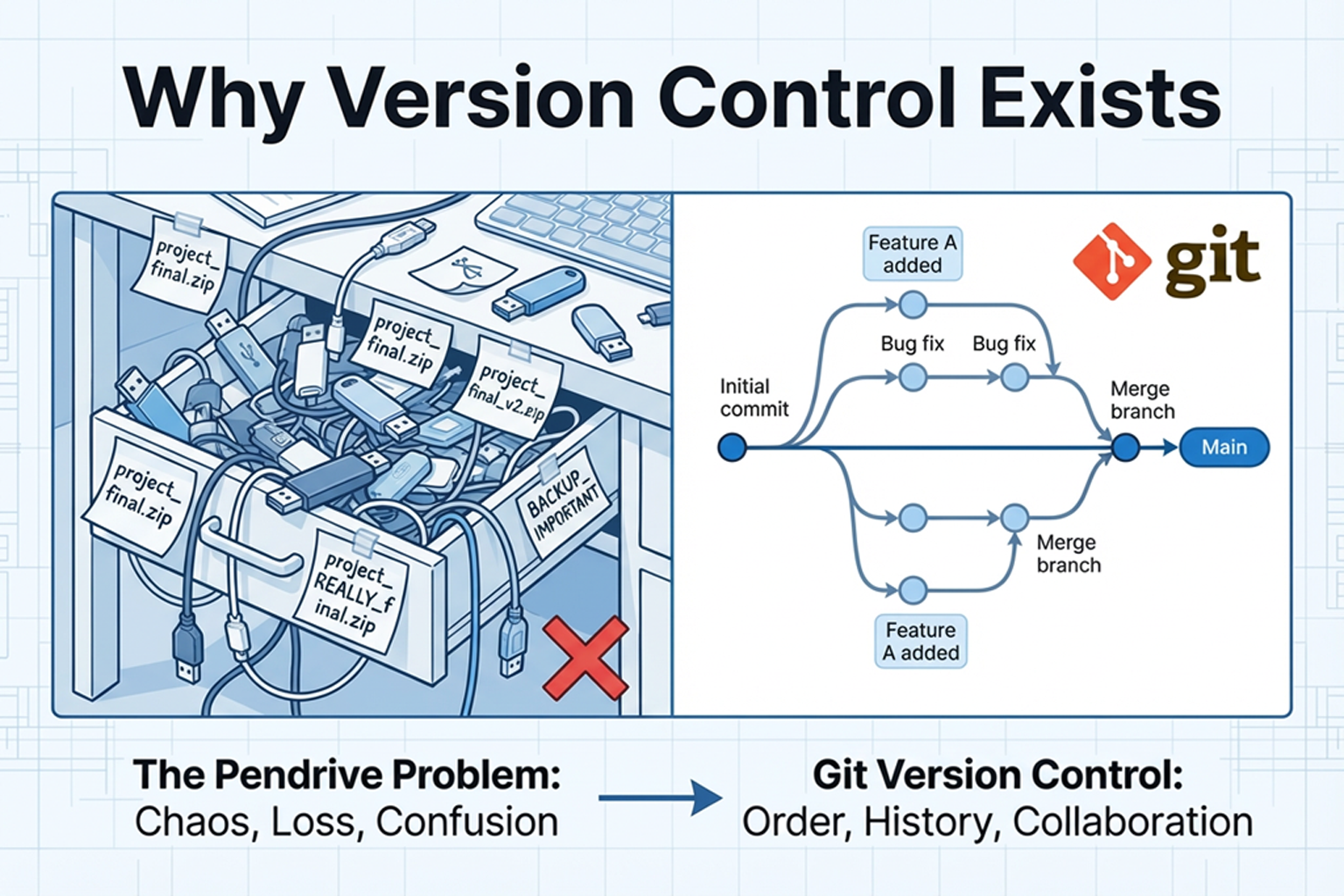
Why Version Control Exists: The Pendrive Problem
In this blog I will explain why version control systems (like Git) exist, using a simple story — the pendrive problem.
I am still learning, so I will write in simple words. This is how I understood it.
The Pendrive Story (what many teams did before VCS)
Imagine a small team of three students working on the same project.
They used a pendrive, emails, and folders to share code.
This is what they typically did:
Aman copies project to a pendrive.
Aman gives pendrive to Bela.
Bela makes changes and saves file as
project_final.docx.Bela emails
project_final_v2.docxto Chintu.Chintu edits and saves a copy
project_latest_final_really_final.docxand puts it on his desktop.Aman gets confused which file is the newest.
It looks simple, but many problems happen quickly.
Common Bad Habits (you might have done these)
Naming files like
final.docx,final_v2.docx,final_v2_really.docxSending code as email attachments (subject: "latest code")
Storing one copy on a pendrive that keeps moving between people
Everyone keeping their own “latest” folder on their laptop
These feel workable for one or two small changes, but not for real teamwork.
Problems That Come Up (the real pain)
Here are the main problems we faced (and I faced too):
1. Overwriting code
If two people edit the same file, the last saver overwrites the other person’s changes.
No warning. No undo. Oops.
2. Losing changes
Sometimes the pendrive is misplaced. Or someone opens the wrong file and saves over it. The real work can disappear.
3. No clear history
You can’t see who changed what and when.
Was that bug introduced by Bela or Chintu? No way to know.
4. Confusing filenames
final_v2_reallyfinal_FINAL.docx — which one is correct? People waste time opening many files.
5. Slow collaboration
Waiting for the pendrive or email reply slows things. Two people can’t work on the same file safely at the same time.
6. No rollback
If the recent changes break everything, how do you go back to the working version? You may not have one.
Real Team Problems (linked to the pendrive story)
In real projects, code is much bigger than a single document. Teams have:
many files
many developers
tight deadlines
Now imagine the pendrive method at scale:
Everyone wastes time resolving conflicts by hand
Important history (why a change was made) is missing
Releases can break because no one can roll back reliably
This is why small teams quickly feel the pain, and large teams cannot function this way.
Why Version Control Solves These Problems (the natural transition)
Version Control Systems (VCS) were created to handle exactly these issues.
Here is what VCS gives you:
History: every change is saved with who did it and when
Branches: multiple people can work in parallel without overwriting each other
Merges and conflict tools: safe ways to combine work and fix conflicts
Rollback: go back to previous working versions easily
Central or distributed storage: no lost pendrives or confusing email attachments
Audit trail: you can read commit messages to know why a change was made
So instead of copying files around manually, teams use VCS to track changes and coordinate work.
Quick example (how VCS removes the pendrive pain)
Old way:
- Bela edits
index.htmlon pendrive → Chintu overwrites it → Aman loses work
With VCS:
Bela makes a commit (saves snapshot) with message "fix header"
Chintu pulls latest, makes his changes in a branch, then merges
If merge has conflict, the tool shows exactly which lines differ
If something breaks, Aman checks out the previous commit and nothing is lost
Final Thoughts (from a learner)
The pendrive problem is simple but very real.
Before version control, teams spent hours fixing lost files, overwrites, and confusion.
Version control is not just a tool — it’s a team habit that makes software work possible at scale.
If you are starting now, learn a VCS (like Git) early. It will save you so much time and headache.
Happy coding and please stop sending files named final_final_v3_okay.docx 😅


