When you open YouTube, watch a live match, or check your bank balance, all of that is just data moving across the internet.
But that data doesn’t move randomly. It follows some rules, called protocols, that decide how information is sent and received.
Two of the most important protocols for this are:
TCP – Transmission Control Protocol
UDP – User Datagram Protocol
And sitting on top of them, especially for websites, is another protocol you hear a lot:
- HTTP – HyperText Transfer Protocol
In this blog we’ll keep things completely beginner‑friendly and build a mental model of:
What TCP and UDP actually are
How they are different
Real‑world examples of each
What HTTP is and how it runs on top of TCP
Why we even need TCP and UDP
The internet is basically millions of machines trying to talk to each other.
Without rules, sending data would be like throwing paper planes from one building to another:
Some planes fall down
Some reach late
Some arrive in the wrong order
No one knows which ones arrived safely
To fix this, we need standard ways to send data. That’s where TCP and UDP come in.
They are part of the transport layer in networking – their job is to move data between two endpoints (like laptop and server).
Both do the same core thing: take chunks of data and send them across the network.
But their behaviour is very different.
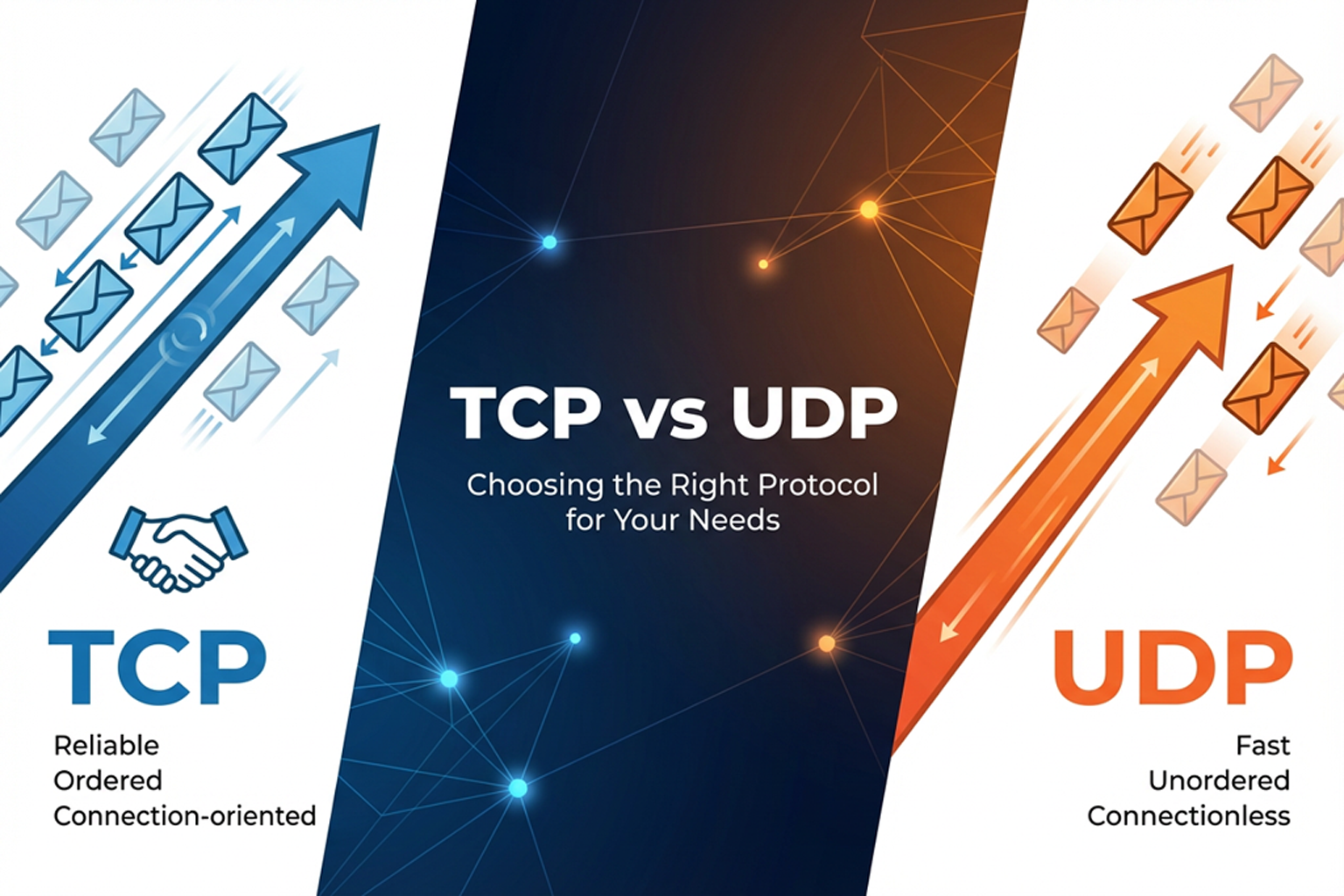
TCP – the safe, reliable delivery guy
Think of TCP as a professional courier company like Blue Dart or FedEx.
Reliable – it makes sure data actually reaches
Ordering – packets are reassembled in the correct order
Loss detection – if something is missing, TCP notices
Retransmission – lost data is sent again
Flow control – it doesn’t overwhelm the receiver
Congestion control – it slows down if the network is busy
Because of all this extra work, TCP is slightly heavier and can be a bit slower, but you get correctness.
A simple analogy
Imagine you’re sending a 50‑page project report by courier:
Every page is numbered
The receiver signs for the packet and confirms what they got
If a page is missing, you send it again
At the end, both sides know the full report is received in the correct order
That’s TCP.
Where you see TCP in real life
Anything where mistakes are not acceptable usually uses TCP:
Opening normal websites (HTTP / HTTPS)
Internet banking and UPI
Downloading files, PDFs, apps, games
Sending emails (SMTP, IMAP, POP3)
Messaging apps that must deliver every message in order
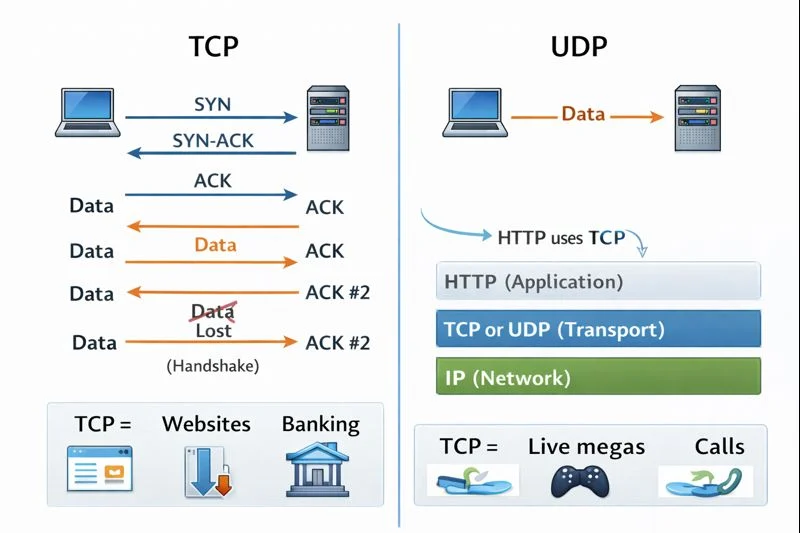
Under the hood, TCP also does a 3‑way handshake :
Client says “Can we talk?” (SYN)
Server replies “Yes, and I heard you” (SYN‑ACK)
Client says “Great, let’s start” (ACK)
Only after this handshake does TCP start moving your actual data.
UDP – the fast, no‑guarantee broadcaster
UDP stands for User Datagram Protocol. A “datagram” is just a small independent packet of data.
UDP is like a loudspeaker announcement:
The principal announces results on a mic
Whoever hears it, hears it
If you missed a word, there is no “rewind”
But the message reaches everyone fast
UDP:
Is less reliable – doesn’t guarantee delivery
Has no ordering – packets can arrive mixed up
Has no retransmission – lost packets are not resent
Has no congestion control – it doesn’t slow itself automatically
The big advantage: very low delay. It sends data and doesn’t wait for confirmations.
Where you see UDP in real life
Use cases where speed and freshness are more important than perfection:
Live streaming (sports, live events)
Voice and video calls
Online gaming
Some real‑time dashboards and sensors
If a few packets are dropped:
A video frame might glitch
Your friend’s voice may clip for a moment
But the stream keeps going, and you quickly get the latest data.
Advanced stuff built on top of UDP i learned from Hitesh Choudhary Sir:
DTLS – adds encryption to UDP (secure but still datagram‑based)
SCTP – another transport protocol that can create multiple reliable “streams” (used in some chats, games, file transfers)
WebRTC – browser technology for peer‑to‑peer audio/video, often using UDP + DTLS + SCTP underneath
You don’t have to remember the names yet, just know that many real‑time technologies sit on top of UDP.
Quick comparison: TCP vs UDP
Analogies learned from Hitesh Choudhary Sir, here’s the picture:
TCP is like:
A tracked courier service
Every packet is numbered
Receiver sends back acknowledgements
Lost packets are detected and resent
Data arrives in order
Has flow control and congestion control
Great for reliability, okay with a little delay
UDP is like:
A loudspeaker or live broadcast
Packets are just shouted out
No acknowledgements
No automatic re‑sending
No guarantee of order
Great for low delay, okay with some data loss
Where HTTP fits in (and why it doesn’t replace TCP)
A very common beginner doubt is:
“If I’m already using HTTP, do I still use TCP?”
“Is HTTP the same thing as TCP?”
They are not the same.
TCP / UDP live in the transport layer – they decide how data moves between two machines.
HTTP lives in the application layer – it decides what the messages look like and what they mean.
Think of sending a letter:
The language you write in (English / Hindi / format of the letter) is like HTTP.
The delivery service (post office / courier) is like TCP (or UDP).
You can write the same style of letter and send it through different couriers. Similarly:
HTTP defines things like
GET /, headers, body, status codes.It usually uses TCP underneath to actually transport those bytes.
Application‑level protocols that sit on top of TCP or UDP:
HTTP / HTTPS
FTP (file transfer)
SMTP (email sending)
WebSocket, WebRTC, etc.
So the correct way to think of it is:
A web request is typically HTTP over TCP
Real‑time video chat in the browser is often WebRTC over UDP (with DTLS, SCTP, etc.)
HTTP does not replace TCP; it uses TCP in most cases.
Putting it all together: which one, when?
Final model learned from Hitesh Choudhary Sir’s notes:
Use TCP when:
Every bit of data matters
Order matters
You can tolerate a bit of delay
Examples: websites, logins, forms, payments, file downloads, emails.
Use UDP when:
You care more about latest data than perfect data
You want very low latency
Small loss/glitches are acceptable
Examples: live streams, games, video calls, some real‑time apps.
On top of these, HTTP and other application protocols define the conversation format, while TCP/UDP decide how those messages travel


